Effects

All effects in jd.Edit

Every effect has its own page with knobs, toggles and meters — like a plug-in. Preview loops the change instantly, Apply writes it non-destructively, Undo removes it. This is what each effect is for, what it gives you and when it makes sense.

Normalize in jd.Edit
Basics Level

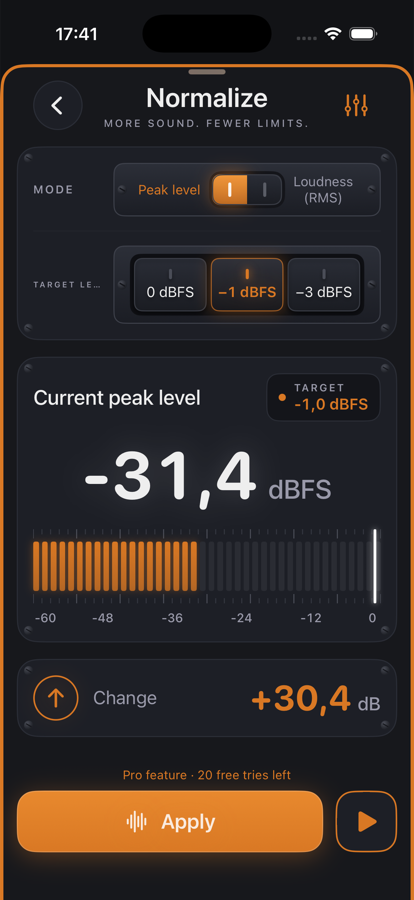
Normalize

The whole range to one target level.

Brings the file or the selection to a target level — by peak (0, −1, −3 dBFS) or by loudness (RMS). The measurement runs up front; the change is known before you tap.

  • ✓Even out voice memos — Lift a quiet memo to −1 dBFS before cutting or sending it.
  • ✓Before exporting — The last step before WAV or MP3 so the file arrives equally loud everywhere.
  • ✓Several recordings — Bring interview parts from different sessions to −20 dB RMS — then they sound like one piece.
Details →
Stereo to Mono in jd.Edit
Basics Channels

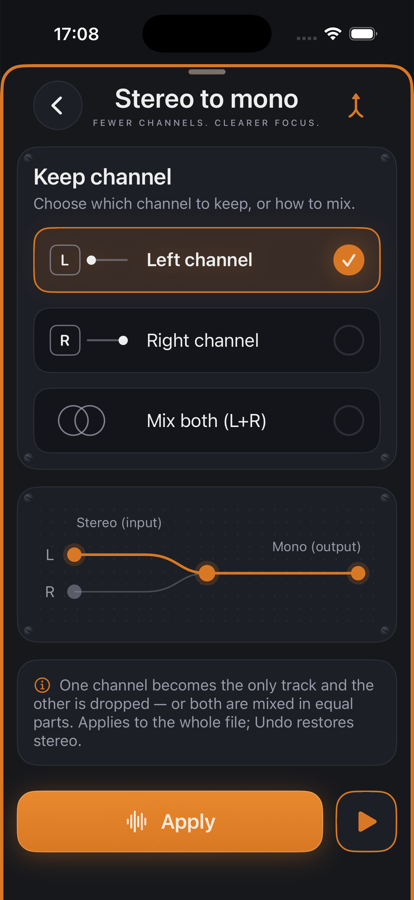
Stereo to Mono

Fewer channels. Clearer focus.

Keep the left or right channel, or mix both in equal parts. The flow diagram shows what happens to the signal; Undo restores stereo.

  • ✓USB interface with one microphone — Keep channel 1, the empty channel 2 goes away.
  • ✓Podcast download — A stereo music bed is not needed, the voice is fine in mono — smaller file.
  • ✓Two microphones, one track — Mix combines both speakers when no stereo image is wanted.
Details →
NoiseFloor in jd.Edit
Restoration Restoration

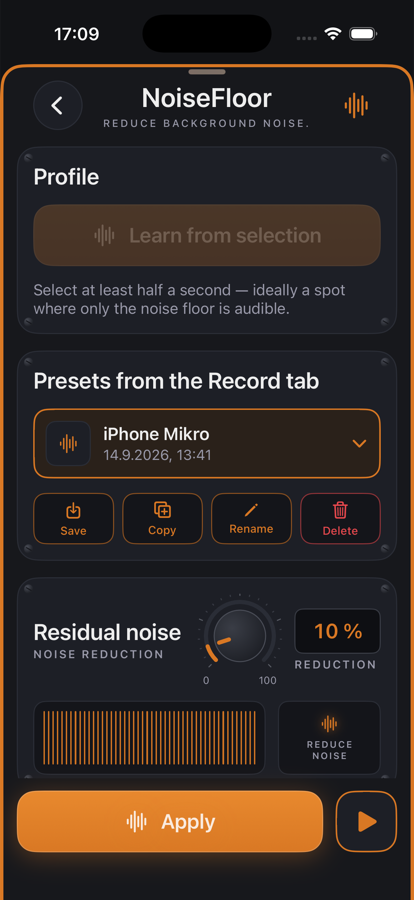
NoiseFloor

Reduce background noise.

Removes the noise floor — learned from a selected passage or taken from a preset saved in the Record tab. Residual noise and fine-tuning via knobs, spectrum view with the noise profile.

  • ✓Home-office podcast — Fan and street noise between sentences disappears, the voice stays.
  • ✓iPhone voice memos — The built-in microphone hisses audibly — an “iPhone mic” preset cleans every recording.
  • ✓Old recordings — Reduce tape hiss from digitized cassettes or dictation machines.
Details →
High-pass in jd.Edit
Restoration Filter

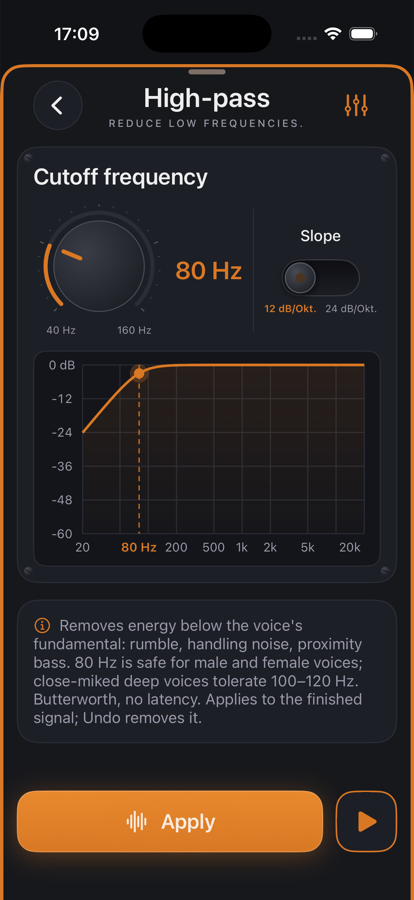
High-pass

Reduce low frequencies.

Removes rumble, handling noise and proximity bass below the voice's fundamental. Cutoff 40–200 Hz, slope 12 or 24 dB/oct, Butterworth with no latency.

  • ✓Desk recording — 80 Hz, 12 dB/oct: rumble gone, voice unchanged.
  • ✓Closely spoken microphone — 100–120 Hz for low voices that boom close to the mic.
  • ✓Outdoor recording with wind — 24 dB/oct at 120 Hz takes the thumping without losing the speech.
Details →
Leveler in jd.Edit
Dynamics Dynamics

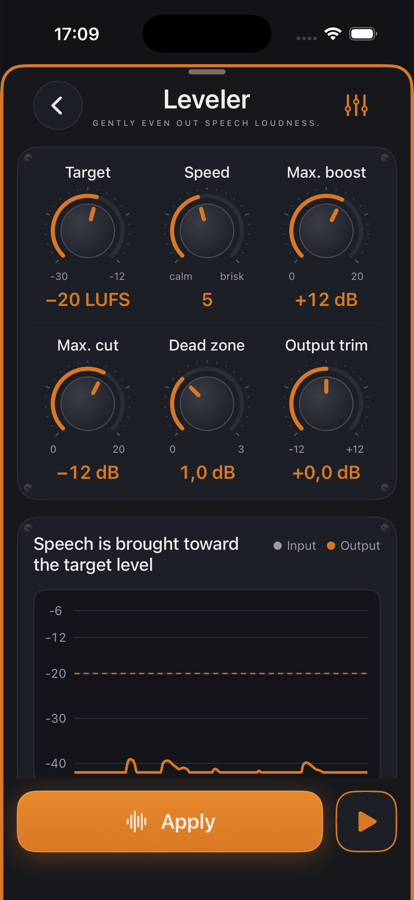
Leveler

Gently even out speech loudness.

Evens out slow level changes between passages, the way an engineer rides the fader. Target in LUFS, freezes during pauses. Chart with input and output.

  • ✓Podcast with two guests — The quiet guest and the loud host land on the same loudness target.
  • ✓Audiobook — Long readings with the voice fading over hours stay even.
  • ✓Interview on the go — Changing distance to the microphone is compensated.
Details →
Compressor in jd.Edit
Dynamics Dynamics

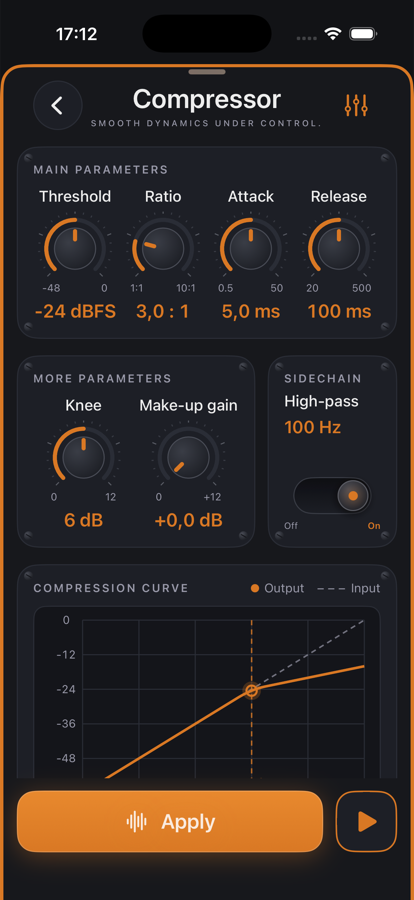
Compressor

Smooth dynamics under control.

Catches loud syllables and peaks the leveler lets through. Threshold, ratio, attack, release, knee and make-up gain as knobs, side-chain high-pass against pumping, curve and gain-reduction meter.

  • ✓Podcast speech — Threshold −24 dBFS, 3:1, attack 5 ms, release 100 ms: unobtrusively denser.
  • ✓Lively interviews — Laughter and exclamations are caught without changing the rest.
  • ✓Music demo — Gentle 2:1 with a long release as glue for the mix.
Details →
De-Esser in jd.Edit
Dynamics Dynamics

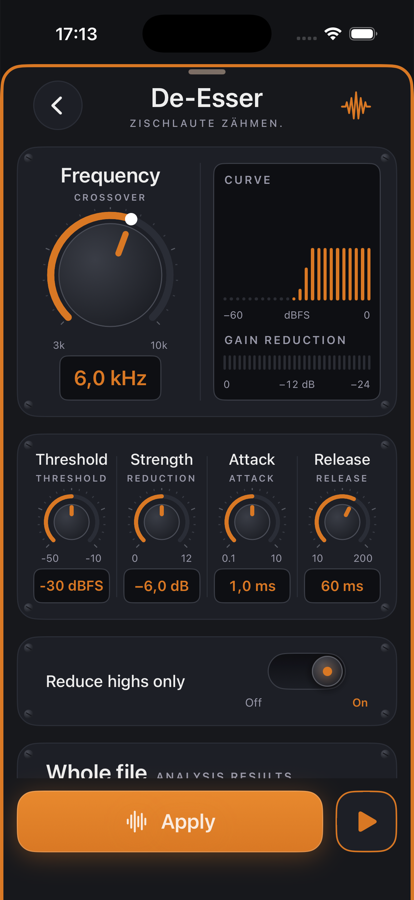
De-Esser

Tame sibilance.

Detects sibilance by its energy above the crossover frequency and reduces it for as long as it lasts. Default: high band only — the voice below stays untouched.

  • ✓After the compressor — The compressor lifts sibilance — the de-esser behind it takes it back.
  • ✓Bright voices — Crossover 6–7 kHz, strength 4–6 dB.
  • ✓Close condenser microphone — Crossover 5 kHz, wideband for very harsh S.
Details →
SoundsBetter in jd.Edit
Dynamics All-in-one

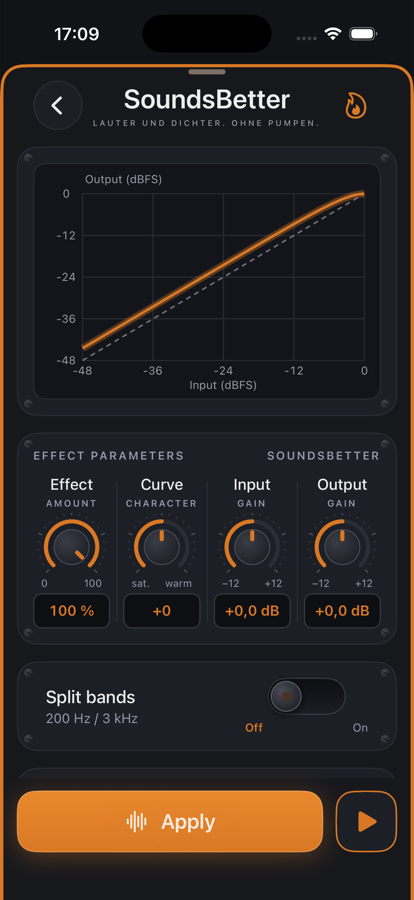
SoundsBetter

Louder and denser. No pumping.

The curve lifts quiet parts and softly pushes peaks toward 0 dBFS. Effect, curve (saturating to warm), input and output; optionally three bands split.

  • ✓Quickly polish a voice memo — Effect 100 %, curve 0 — denser and more present in one step.
  • ✓Music demo — Curve +30, bands split: warmer without the kick ducking the highs.
  • ✓Before the limiter — As the last stage before the limiter SoundsBetter brings the loudness, the limiter holds the ceiling.
Details →
Limiter in jd.Edit
Finalizing Finalizing

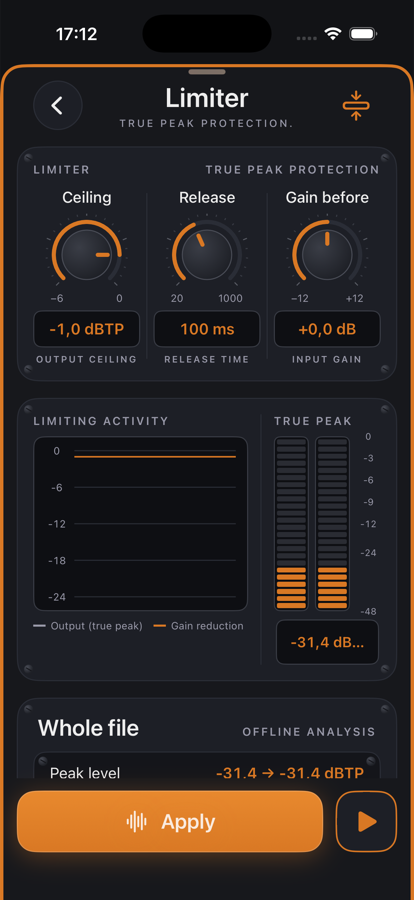
Limiter

True peak protection.

Guarantees that no peak exceeds the ceiling — not even between two samples (true peak per ITU-R BS.1770, 4× oversampled). 5 ms look-ahead, so no click.

  • ✓Podcast export — Ceiling −1 dBTP, release 100 ms: the default for Apple Podcasts and Spotify.
  • ✓Audiobook for ACX — Ceiling −3 dBTP so the requirement is met with headroom.
  • ✓Make a quiet recording loud — Gain before +6 dB, the limiter holds the few peaks.
Details →
Pitch in jd.Edit
Creative Pitch From version 1.7

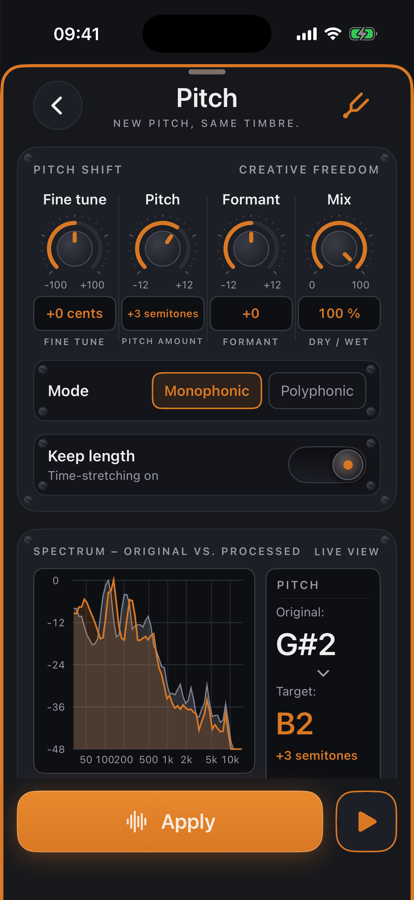
Pitch

New pitch, same timbre.

Shifts the pitch by up to ±12 semitones with fine tuning in cents. The timbre stays thanks to formant preservation — or moves along on request. Keep the length or go tape-style.

  • ✓Adjust a voice — Lower a speaker's voice by 2–3 semitones without it sounding foreign.
  • ✓Transpose music — Move a demo to another key to sing along — polyphonic, keep length.
  • ✓Tape effect — Keep length off: half speed with a deep voice, or double speed as a stylistic device.
Details →

Chain order: High-pass → Leveler → Compressor → De-Esser → SoundsBetter → Limiter. The effects list can be reordered with “Reorder”.

Want to try it?

jd.Edit is free; every Pro feature can be used twenty times at no cost.

On the App Store