What the effect is for
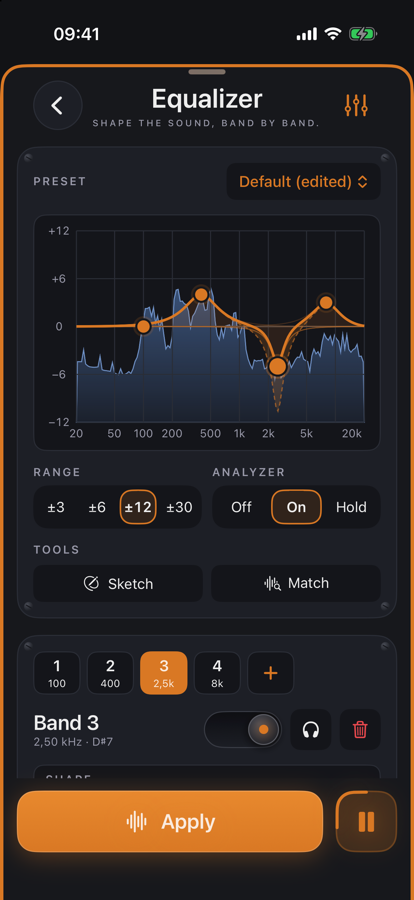
The equalizer boosts or cuts what a recording needs: mud around 300 Hz, presence around 3 kHz, air above 8 kHz, rumble at the very bottom. Every band has a shape, frequency, gain and Q; cuts have a slope from 12 to 96 dB per octave. The curve on the display is the real response of the filters, and its points can be dragged with a finger: sideways for frequency, vertically for gain, two fingers for Q.
While previewing, the analyzer runs behind the curve and shows the spectrum after the EQ — so you can see where the energy sits and whether the move lands. A band can become dynamic: it only moves once its range exceeds the threshold, for sibilance or boom that only appears sometimes. On stereo files a band can act on the left, right, mid or side only. Linear phase processes the static bands without phase shift.
Benefits
- ✓Up to 24 bands in eight shapes — from a gentle shelf to a surgical notch.
- ✓Shape right on the display: drag, double-tap to add a band, hold to grab an analyzer peak.
- ✓Dynamics per band with auto threshold: only acts when needed — a de-esser or anti-mud from inside the EQ.
- ✓Presets to start from, matching to a reference file, sketching the curve you want, auto gain against loudness jumps.
Pro feature — try it twenty times for free, then a one-time unlock.