What the effect is for
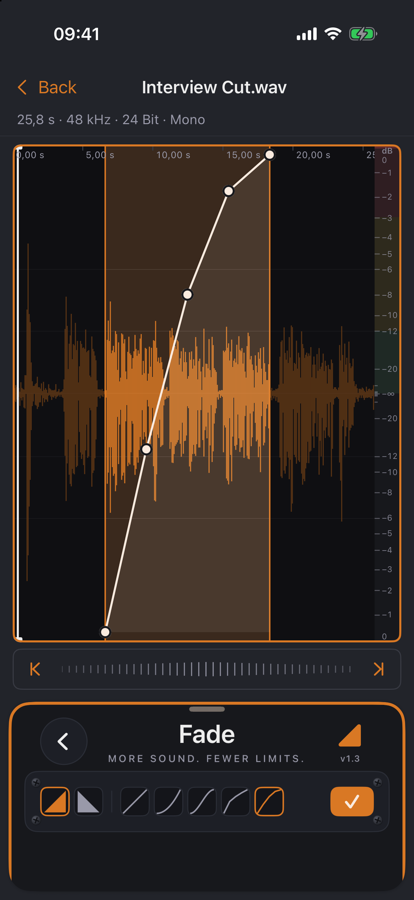
A hard start or a cut-off ending sounds like a mistake. Fade lets the sound begin or die away gently: on the selection or — without one — over a chosen length at the start or end of the file.
The curve sits as a white line right on the waveform. Drag its points, double-tap to add or remove one; a linear fade becomes a slow tail, a quick entry or an S-curve. On the Mac you can also move the start and end of the fade in the editor.
Benefits
- ✓You see what you hear: the curve lies on the waveform, not in a separate window.
- ✓Seven curve presets — linear, logarithmic, exponential, S-curve and more.
- ✓Looped preview, even while you drag the points.
- ✓Non-destructive: Undo takes the fade back.
Included for free